Synced Patterns
Synced patterns, formally reusable blocks, allow you to save a block or group of blocks which you can later use in any post or page on your site. This is ideal for repeated content that you want to update from one place, such as a global call to action or sidebar content.
To create a synced pattern:
- Select the block(s) that will be part of the reusable block
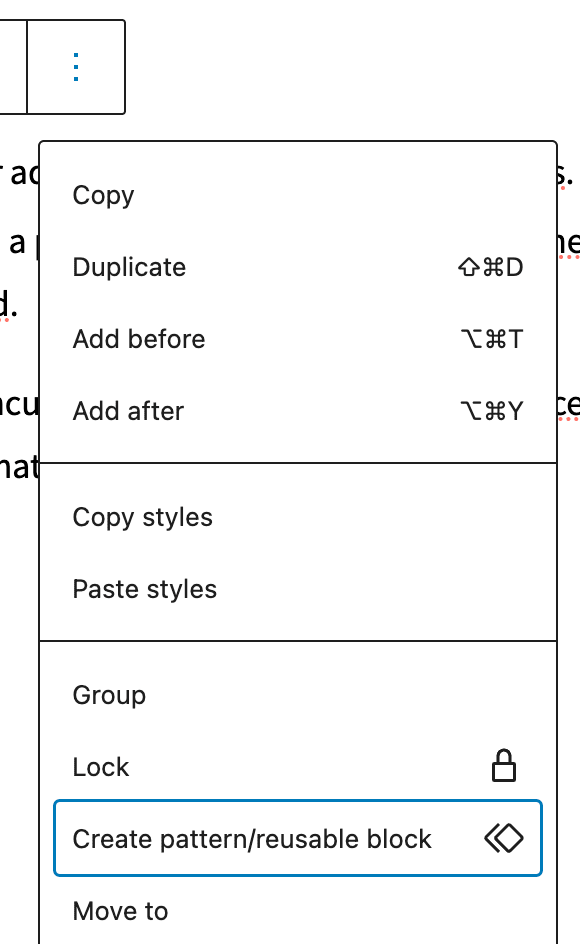
- Click on “More options” in the block toolbar (the three dots)
- Select “Create pattern/reusable block”
- Give it a relevant name
- Make sure “synced” is toggled on
- Click the “Create” button
You can also create them from scratch via the Reusable Blocks admin screen, accessed from the left sidebar. This is similar to creating a post.
To edit a synced pattern:
- Go to the Reusable Blocks link in the left sidebar of the admin screen
- Select the block you want to edit
- Here, you can also add the block to a category, otherwise it will show up as uncategorized

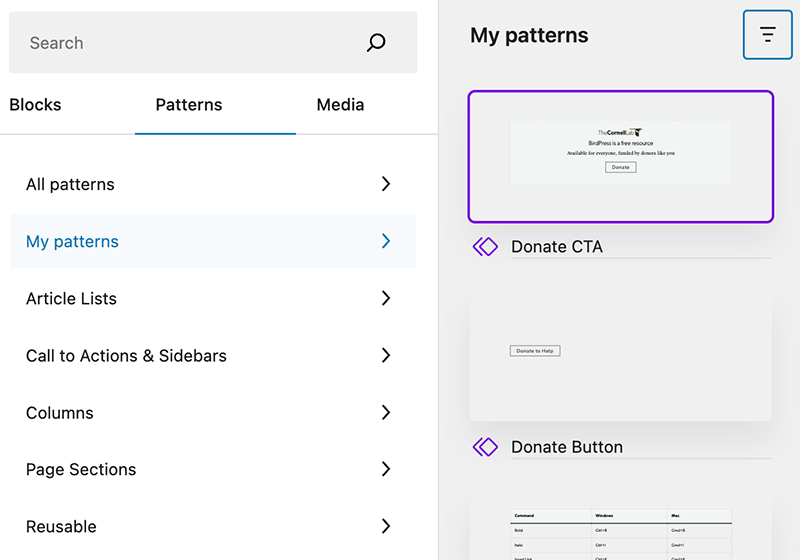
Synced Patterns can be added to a post using the block inserter. They are found under Patterns > My Patterns or in the category that they were placed in.
You can edit, delete and rename them by clicking on the “Manage my patterns” link in that tab, or from the left sidebar of the WordPress admin.